


Brand Asset Handoff Checklist: What to Deliver and How
Brand Asset Handoff Checklist: What to Deliver and How
Brand Asset Handoff Checklist: What to Deliver and How
Published
Published
August 06, 2026
August 06, 2026
Read time
Read time
8 min
8 min
What a Complete Handoff Contains
What a Complete Handoff Contains
What a Complete Handoff Contains
A complete brand asset handoff gives the client everything needed to use, manage, and extend the identity without returning to the original designer for basic files.
A strong handoff should contain five categories:
Logo files: complete logo variants supplied in vector and raster formats for digital and print use.
Colour specifications: approved HEX, RGB, CMYK, and Pantone values, including functional colours and accessible combinations.
Typography: font files where licensing permits, licence documentation, web fonts, and fallback options.
Guidelines and templates: clear instructions showing how the identity should be applied across common touchpoints.
Organised source assets: editable source files, a logical folder structure, consistent naming, and version information.
This brand asset delivery checklist is not simply about transferring files. It is about making those files usable.
A strong identity can become inconsistent within a year if nobody knows which assets are current, where source files live, or how they should be applied. The quality of the handoff determines how easily the brand can stay consistent long after the original project ends.
A complete brand asset handoff gives the client everything needed to use, manage, and extend the identity without returning to the original designer for basic files.
A strong handoff should contain five categories:
Logo files: complete logo variants supplied in vector and raster formats for digital and print use.
Colour specifications: approved HEX, RGB, CMYK, and Pantone values, including functional colours and accessible combinations.
Typography: font files where licensing permits, licence documentation, web fonts, and fallback options.
Guidelines and templates: clear instructions showing how the identity should be applied across common touchpoints.
Organised source assets: editable source files, a logical folder structure, consistent naming, and version information.
This brand asset delivery checklist is not simply about transferring files. It is about making those files usable.
A strong identity can become inconsistent within a year if nobody knows which assets are current, where source files live, or how they should be applied. The quality of the handoff determines how easily the brand can stay consistent long after the original project ends.
Why the Handoff Matters as Much as the Design
Why the Handoff Matters as Much as the Design
Why the Handoff Matters as Much as the Design
A brand identity may look complete when it is presented, but its real value becomes clear months after the project finishes.
Imagine someone needs the logo for a new exhibition banner six months later. The team searches through old emails and shared folders but finds only a small PNG. Nobody knows where the vector files are, and the original designer is no longer involved.
Eventually, someone recreates the logo from a screenshot or enlarges the low-resolution PNG. The result looks slightly different from the approved identity, and another unofficial version enters circulation.
The same problem happens with fonts, colours, templates, icons, and other brand assets.
Missing source files can also make simple updates unnecessarily expensive. Instead of editing an existing asset, the client has to contact a former supplier, search through archived projects, or pay another designer to recreate it.
This is why a good design handoff checklist protects more than convenience. It protects the investment already made in the identity.
Handoff quality is also a useful signal when choosing a designer or agency. Before commissioning work, ask exactly what will be delivered at the end. A professional supplier should be able to explain file formats, ownership, licensing, folder organisation, and documentation before the project begins.
Good design creates the identity. A good handoff makes sure other people can use it correctly.
A brand identity may look complete when it is presented, but its real value becomes clear months after the project finishes.
Imagine someone needs the logo for a new exhibition banner six months later. The team searches through old emails and shared folders but finds only a small PNG. Nobody knows where the vector files are, and the original designer is no longer involved.
Eventually, someone recreates the logo from a screenshot or enlarges the low-resolution PNG. The result looks slightly different from the approved identity, and another unofficial version enters circulation.
The same problem happens with fonts, colours, templates, icons, and other brand assets.
Missing source files can also make simple updates unnecessarily expensive. Instead of editing an existing asset, the client has to contact a former supplier, search through archived projects, or pay another designer to recreate it.
This is why a good design handoff checklist protects more than convenience. It protects the investment already made in the identity.
Handoff quality is also a useful signal when choosing a designer or agency. Before commissioning work, ask exactly what will be delivered at the end. A professional supplier should be able to explain file formats, ownership, licensing, folder organisation, and documentation before the project begins.
Good design creates the identity. A good handoff makes sure other people can use it correctly.
Logo Files: Formats and Variants
Logo Files: Formats and Variants
Logo Files: Formats and Variants
One of the most important parts of a brand asset handoff is providing the logo in enough formats and variants to cover real-world applications.
Delivering only a PNG or JPG is not enough. The client should receive editable vector files, scalable digital formats, and practical raster exports.
Vector Logo Formats
AI or native source file: The original editable artwork should be included where agreed in the contract. It allows future designers to make authorised changes or create additional exports without rebuilding the logo.
EPS: EPS remains useful for commercial printers, signage suppliers, embroidery companies, and other production vendors that request established vector formats.
SVG: SVG is ideal for websites and many digital applications because it remains sharp at different sizes while keeping file sizes relatively small.
PDF: PDF is useful for sharing, reviewing, and many professional print workflows. It is widely accessible without requiring the original design software.
These formats preserve vector information, allowing the logo to scale without losing quality.
Raster Logo Formats
Raster files are still necessary for platforms that do not accept vectors.
PNG: Supply transparent PNG files at multiple practical resolutions. These are useful for presentations, documents, social media, and everyday digital applications.
JPG: Provide JPG versions where transparency is unnecessary, particularly for systems that do not support PNG or SVG.
Also include properly sized favicon and app icon exports where they form part of the identity scope.
Include Every Approved Logo Variant
The logo file formats to deliver should cover the full logo suite, not just the primary mark.
A typical package includes:
Primary logo
Horizontal logo
Stacked logo
Icon-only or brand mark
Mono black
Mono white
Reversed versions
Favicon and app icon where required
Different layouts solve different practical problems. A horizontal logo may work well in a website header but poorly in a square social profile. An icon-only mark may solve the second use case without forcing someone to crop or modify the primary logo.
Logo Format and Variant Matrix
A simple matrix makes the brand asset delivery checklist easier to verify before files are handed over.
One of the most important parts of a brand asset handoff is providing the logo in enough formats and variants to cover real-world applications.
Delivering only a PNG or JPG is not enough. The client should receive editable vector files, scalable digital formats, and practical raster exports.
Vector Logo Formats
AI or native source file: The original editable artwork should be included where agreed in the contract. It allows future designers to make authorised changes or create additional exports without rebuilding the logo.
EPS: EPS remains useful for commercial printers, signage suppliers, embroidery companies, and other production vendors that request established vector formats.
SVG: SVG is ideal for websites and many digital applications because it remains sharp at different sizes while keeping file sizes relatively small.
PDF: PDF is useful for sharing, reviewing, and many professional print workflows. It is widely accessible without requiring the original design software.
These formats preserve vector information, allowing the logo to scale without losing quality.
Raster Logo Formats
Raster files are still necessary for platforms that do not accept vectors.
PNG: Supply transparent PNG files at multiple practical resolutions. These are useful for presentations, documents, social media, and everyday digital applications.
JPG: Provide JPG versions where transparency is unnecessary, particularly for systems that do not support PNG or SVG.
Also include properly sized favicon and app icon exports where they form part of the identity scope.
Include Every Approved Logo Variant
The logo file formats to deliver should cover the full logo suite, not just the primary mark.
A typical package includes:
Primary logo
Horizontal logo
Stacked logo
Icon-only or brand mark
Mono black
Mono white
Reversed versions
Favicon and app icon where required
Different layouts solve different practical problems. A horizontal logo may work well in a website header but poorly in a square social profile. An icon-only mark may solve the second use case without forcing someone to crop or modify the primary logo.
Logo Format and Variant Matrix
A simple matrix makes the brand asset delivery checklist easier to verify before files are handed over.
One of the most important parts of a brand asset handoff is providing the logo in enough formats and variants to cover real-world applications.
Delivering only a PNG or JPG is not enough. The client should receive editable vector files, scalable digital formats, and practical raster exports.
Vector Logo Formats
AI or native source file: The original editable artwork should be included where agreed in the contract. It allows future designers to make authorised changes or create additional exports without rebuilding the logo.
EPS: EPS remains useful for commercial printers, signage suppliers, embroidery companies, and other production vendors that request established vector formats.
SVG: SVG is ideal for websites and many digital applications because it remains sharp at different sizes while keeping file sizes relatively small.
PDF: PDF is useful for sharing, reviewing, and many professional print workflows. It is widely accessible without requiring the original design software.
These formats preserve vector information, allowing the logo to scale without losing quality.
Raster Logo Formats
Raster files are still necessary for platforms that do not accept vectors.
PNG: Supply transparent PNG files at multiple practical resolutions. These are useful for presentations, documents, social media, and everyday digital applications.
JPG: Provide JPG versions where transparency is unnecessary, particularly for systems that do not support PNG or SVG.
Also include properly sized favicon and app icon exports where they form part of the identity scope.
Include Every Approved Logo Variant
The logo file formats to deliver should cover the full logo suite, not just the primary mark.
A typical package includes:
Primary logo
Horizontal logo
Stacked logo
Icon-only or brand mark
Mono black
Mono white
Reversed versions
Favicon and app icon where required
Different layouts solve different practical problems. A horizontal logo may work well in a website header but poorly in a square social profile. An icon-only mark may solve the second use case without forcing someone to crop or modify the primary logo.
Logo Format and Variant Matrix
A simple matrix makes the brand asset delivery checklist easier to verify before files are handed over.
Logo Variant
Logo Variant
AI/Source
AI/Source
EPS
EPS
SVG
SVG
PNG
PNG
JPG
JPG
Primary
✓
✓
✓
✓
✓
✓
✓
✓
✓
✓
✓
✓
Horizontal
✓
✓
✓
✓
✓
✓
✓
Stacked
✓
✓
✓
✓
✓
✓
Icon-only
✓
✓
✓
✓
✓
✓
Mono black
✓
✓
✓
✓
✓
Optional
Mono white
✓
✓
✓
✓
✓
Optional
Reversed
✓
✓
✓
✓
✓
Optional
Favicon/app icon
Source
Optional
Optional
✓
Optional
Optional
✓
Optional
Logo Variant
AI/Source
EPS
SVG
PNG
JPG
Primary
✓
✓
✓
✓
✓
✓
Horizontal
✓
✓
✓
✓
✓
✓
Stacked
✓
✓
✓
✓
✓
✓
Icon-only
✓
✓
✓
✓
✓
✓
Mono black
✓
✓
✓
✓
✓
Optional
Mono white
✓
✓
✓
✓
✓
Optional
Reversed
✓
✓
✓
✓
✓
Optional
Favicon/app icon
Source
Optional
✓
Optional
✓
Optional
The exact matrix can vary by project, but the principle remains the same: deliver enough formats for the client to use the identity without modifying, recreating, or converting the logo unnecessarily.
When deciding how to hand off brand files, organise these variants clearly by format and use case. The client should be able to find the correct logo in seconds without opening ten files to discover what each one contains.
The exact matrix can vary by project, but the principle remains the same: deliver enough formats for the client to use the identity without modifying, recreating, or converting the logo unnecessarily.
When deciding how to hand off brand files, organise these variants clearly by format and use case. The client should be able to find the correct logo in seconds without opening ten files to discover what each one contains.
Colour Specifications
Colour Specifications
Colour Specifications
A complete brand asset handoff should include exact colour specifications for every approved brand colour. Designers, developers, printers, and internal teams should not need to sample colours from a logo or guess which value is correct.
Include Digital and Print Values
Every core colour should include the formats required for its intended use:
HEX: for websites and digital interfaces
RGB: for screen-based applications
CMYK: for commercial printing
Pantone: where precise physical colour matching is important
These values should be documented in the brand guidelines and included in an easy-to-reference colour specification file.
Document the Full Colour System
Do not provide only the primary palette. Include secondary colours, functional colours, and any approved tints or shades.
If functional colours are used for states such as success, warning, error, or information, define those roles clearly. This prevents teams from creating new colours whenever a different application is needed.
Include Accessible Colour Pairings
Document approved text-on-colour combinations and note their relevant contrast ratios where appropriate.
For example, if white text works on the primary brand colour but a lighter secondary colour requires dark text, that should be explicit.
Accessibility information makes the colour system easier to apply consistently across websites, applications, presentations, and other digital touchpoints.
The goal of this part of the brand asset delivery checklist is simple: nobody using the identity should have to guess which colour value or combination is correct.
A complete brand asset handoff should include exact colour specifications for every approved brand colour. Designers, developers, printers, and internal teams should not need to sample colours from a logo or guess which value is correct.
Include Digital and Print Values
Every core colour should include the formats required for its intended use:
HEX: for websites and digital interfaces
RGB: for screen-based applications
CMYK: for commercial printing
Pantone: where precise physical colour matching is important
These values should be documented in the brand guidelines and included in an easy-to-reference colour specification file.
Document the Full Colour System
Do not provide only the primary palette. Include secondary colours, functional colours, and any approved tints or shades.
If functional colours are used for states such as success, warning, error, or information, define those roles clearly. This prevents teams from creating new colours whenever a different application is needed.
Include Accessible Colour Pairings
Document approved text-on-colour combinations and note their relevant contrast ratios where appropriate.
For example, if white text works on the primary brand colour but a lighter secondary colour requires dark text, that should be explicit.
Accessibility information makes the colour system easier to apply consistently across websites, applications, presentations, and other digital touchpoints.
The goal of this part of the brand asset delivery checklist is simple: nobody using the identity should have to guess which colour value or combination is correct.
A complete brand asset handoff should include exact colour specifications for every approved brand colour. Designers, developers, printers, and internal teams should not need to sample colours from a logo or guess which value is correct.
Include Digital and Print Values
Every core colour should include the formats required for its intended use:
HEX: for websites and digital interfaces
RGB: for screen-based applications
CMYK: for commercial printing
Pantone: where precise physical colour matching is important
These values should be documented in the brand guidelines and included in an easy-to-reference colour specification file.
Document the Full Colour System
Do not provide only the primary palette. Include secondary colours, functional colours, and any approved tints or shades.
If functional colours are used for states such as success, warning, error, or information, define those roles clearly. This prevents teams from creating new colours whenever a different application is needed.
Include Accessible Colour Pairings
Document approved text-on-colour combinations and note their relevant contrast ratios where appropriate.
For example, if white text works on the primary brand colour but a lighter secondary colour requires dark text, that should be explicit.
Accessibility information makes the colour system easier to apply consistently across websites, applications, presentations, and other digital touchpoints.
The goal of this part of the brand asset delivery checklist is simple: nobody using the identity should have to guess which colour value or combination is correct.
Typography Files and Licences
Typography Files and Licences
Typography Files and Licences
Typography is one of the highest-risk areas in a brand asset handoff because providing a font file does not automatically
give the client permission to use it.
A complete typography package should explain both the technical files and the licensing terms.
Provide the Required Font Formats
Depending on the identity and licence, the package may include:
OTF: commonly used for desktop applications
TTF: another widely supported desktop font format
WOFF2: optimised for modern web use
Only provide font files when the licence allows them to be transferred or shared. If redistribution is prohibited, provide clear instructions explaining where the client should purchase or download their own licence.
Document the Font Licence
For every commercial typeface, record:
Font name and foundry
Licence type
Number of permitted users
Approved use cases
Web or app usage rights where relevant
Renewal requirements, if any
Purchase or licence reference
Who owns the licence
That final point is particularly important.
The handoff should explicitly state whether the font licence belongs to the client or the design supplier.
If the supplier purchased the font under its own licence, that licence may not transfer automatically when the project ends. The client may need to purchase a separate licence before using the typeface internally or online.
Include Fallback Fonts
Define a fallback font stack for environments where the primary brand typeface cannot be used.
This is particularly useful for websites, email, presentations, internal documents, and other platforms with technical limitations.
The fallback should maintain similar proportions, readability, and overall character where possible.
Document Web Font Hosting
If web fonts are self-hosted, record where the files live and which weights and styles are included. Developers should know which files are approved for production and how they relate to the licence.
Clear font documentation protects both brand consistency and legal usage. A good design handoff checklist should never leave a client with font files but no explanation of whether they are actually allowed to use them.
Typography is one of the highest-risk areas in a brand asset handoff because providing a font file does not automatically
give the client permission to use it.
A complete typography package should explain both the technical files and the licensing terms.
Provide the Required Font Formats
Depending on the identity and licence, the package may include:
OTF: commonly used for desktop applications
TTF: another widely supported desktop font format
WOFF2: optimised for modern web use
Only provide font files when the licence allows them to be transferred or shared. If redistribution is prohibited, provide clear instructions explaining where the client should purchase or download their own licence.
Document the Font Licence
For every commercial typeface, record:
Font name and foundry
Licence type
Number of permitted users
Approved use cases
Web or app usage rights where relevant
Renewal requirements, if any
Purchase or licence reference
Who owns the licence
That final point is particularly important.
The handoff should explicitly state whether the font licence belongs to the client or the design supplier.
If the supplier purchased the font under its own licence, that licence may not transfer automatically when the project ends. The client may need to purchase a separate licence before using the typeface internally or online.
Include Fallback Fonts
Define a fallback font stack for environments where the primary brand typeface cannot be used.
This is particularly useful for websites, email, presentations, internal documents, and other platforms with technical limitations.
The fallback should maintain similar proportions, readability, and overall character where possible.
Document Web Font Hosting
If web fonts are self-hosted, record where the files live and which weights and styles are included. Developers should know which files are approved for production and how they relate to the licence.
Clear font documentation protects both brand consistency and legal usage. A good design handoff checklist should never leave a client with font files but no explanation of whether they are actually allowed to use them.
Typography is one of the highest-risk areas in a brand asset handoff because providing a font file does not automatically
give the client permission to use it.
A complete typography package should explain both the technical files and the licensing terms.
Provide the Required Font Formats
Depending on the identity and licence, the package may include:
OTF: commonly used for desktop applications
TTF: another widely supported desktop font format
WOFF2: optimised for modern web use
Only provide font files when the licence allows them to be transferred or shared. If redistribution is prohibited, provide clear instructions explaining where the client should purchase or download their own licence.
Document the Font Licence
For every commercial typeface, record:
Font name and foundry
Licence type
Number of permitted users
Approved use cases
Web or app usage rights where relevant
Renewal requirements, if any
Purchase or licence reference
Who owns the licence
That final point is particularly important.
The handoff should explicitly state whether the font licence belongs to the client or the design supplier.
If the supplier purchased the font under its own licence, that licence may not transfer automatically when the project ends. The client may need to purchase a separate licence before using the typeface internally or online.
Include Fallback Fonts
Define a fallback font stack for environments where the primary brand typeface cannot be used.
This is particularly useful for websites, email, presentations, internal documents, and other platforms with technical limitations.
The fallback should maintain similar proportions, readability, and overall character where possible.
Document Web Font Hosting
If web fonts are self-hosted, record where the files live and which weights and styles are included. Developers should know which files are approved for production and how they relate to the licence.
Clear font documentation protects both brand consistency and legal usage. A good design handoff checklist should never leave a client with font files but no explanation of whether they are actually allowed to use them.
Guidelines and Documentation
Guidelines and Documentation
Guidelines and Documentation
Files tell people what assets exist. Guidelines explain how those assets should be used.
Every brand asset handoff should therefore include the current brand guidelines alongside the logo, colour, typography, and supporting assets.
Provide Editable and Distribution Versions
Where agreed in the project scope, provide an editable source version of the guidelines as well as a distribution format such as PDF.
The PDF gives employees, freelancers, agencies, and vendors an easy reference document. The editable version allows authorised teams to maintain the guidelines as the brand evolves.
Include Practical Templates
Provide templates for the formats the client creates most frequently.
Depending on the business, these might include:
Presentation decks
Social media layouts
Documents
Proposals
Email signatures
Marketing materials
Templates reduce repeated design decisions and help teams apply the identity correctly from the beginning.
Add a Read-Me File
Include a short read-me explaining what the handoff package contains, where key files are located, which files are intended for common use cases, and who to contact if something is unclear.
This small piece of documentation can make a large asset library significantly easier to navigate.
The handoff should be usable by someone who was not involved in the original design project. If that person can understand the package without asking where everything is, the documentation is doing its job.
Files tell people what assets exist. Guidelines explain how those assets should be used.
Every brand asset handoff should therefore include the current brand guidelines alongside the logo, colour, typography, and supporting assets.
Provide Editable and Distribution Versions
Where agreed in the project scope, provide an editable source version of the guidelines as well as a distribution format such as PDF.
The PDF gives employees, freelancers, agencies, and vendors an easy reference document. The editable version allows authorised teams to maintain the guidelines as the brand evolves.
Include Practical Templates
Provide templates for the formats the client creates most frequently.
Depending on the business, these might include:
Presentation decks
Social media layouts
Documents
Proposals
Email signatures
Marketing materials
Templates reduce repeated design decisions and help teams apply the identity correctly from the beginning.
Add a Read-Me File
Include a short read-me explaining what the handoff package contains, where key files are located, which files are intended for common use cases, and who to contact if something is unclear.
This small piece of documentation can make a large asset library significantly easier to navigate.
The handoff should be usable by someone who was not involved in the original design project. If that person can understand the package without asking where everything is, the documentation is doing its job.
Files tell people what assets exist. Guidelines explain how those assets should be used.
Every brand asset handoff should therefore include the current brand guidelines alongside the logo, colour, typography, and supporting assets.
Provide Editable and Distribution Versions
Where agreed in the project scope, provide an editable source version of the guidelines as well as a distribution format such as PDF.
The PDF gives employees, freelancers, agencies, and vendors an easy reference document. The editable version allows authorised teams to maintain the guidelines as the brand evolves.
Include Practical Templates
Provide templates for the formats the client creates most frequently.
Depending on the business, these might include:
Presentation decks
Social media layouts
Documents
Proposals
Email signatures
Marketing materials
Templates reduce repeated design decisions and help teams apply the identity correctly from the beginning.
Add a Read-Me File
Include a short read-me explaining what the handoff package contains, where key files are located, which files are intended for common use cases, and who to contact if something is unclear.
This small piece of documentation can make a large asset library significantly easier to navigate.
The handoff should be usable by someone who was not involved in the original design project. If that person can understand the package without asking where everything is, the documentation is doing its job.
Folder Structure and Naming Conventions
Folder Structure and Naming Conventions
Folder Structure and Naming Conventions
Even a complete set of source files becomes difficult to use when everything is stored in one folder with unclear names.
A consistent folder structure and naming convention make assets easier to find, share, update, and archive.
A practical structure might look like this:
brand-assets/
├── 01-logo/
│ ├── svg/
│ ├── eps/
│ ├── pdf/
│ └── png/
├── 02-colour/
├── 03-typography/
│ ├── font-files/
│ └── licences/
├── 04-iconography/
├── 05-imagery/
├── 06-templates/
├── 07-guidelines/
├── 08-source-files/
└── archive/
The exact folders will vary, but the hierarchy should be predictable. Someone opening the package for the first time should immediately understand where to look.
Use a Consistent Naming Pattern
Create a naming convention that describes the asset without requiring someone to open it.
A useful pattern is:
brand_asset_variant_colour_version
For example:
abstrct_logo_horizontal_black_v1.svg
or, for web assets where hyphens are preferable:
abstrct-logo-horizontal-black-v1.svg
The important thing is consistency. Avoid ambiguous names such as:
logo-final.svg
logo-final-new.svg
logo-final-final-v3.svg
These names become meaningless as soon as another revision is created.
Use Web-Safe Naming for Digital Assets
For web-facing files, lowercase names and hyphens are generally easier to manage across URLs, servers, and development workflows.
Avoid spaces, inconsistent capitalisation, and unnecessary special characters.
For example:
brand-icon-white.svg
is clearer and more web-friendly than:
Brand Icon WHITE Final.svg
Maintain Version Control
Good version control prevents teams from accidentally replacing approved assets with newer or experimental files.
Do not silently overwrite important files. When a significant update is made, create a clearly identified new version and move superseded assets into an archive folder.
The active asset library should contain only current approved files, while the archive preserves older versions when they need to be referenced.
For larger organisations, a DAM or brand portal can provide more structured version control, permissions, and asset management.
When considering how to hand off brand files, organisation is as important as completeness. The client should not simply receive every file created during the project. They should receive a clean, structured package containing the correct files, clear names, and an obvious source of truth.
Even a complete set of source files becomes difficult to use when everything is stored in one folder with unclear names.
A consistent folder structure and naming convention make assets easier to find, share, update, and archive.
A practical structure might look like this:
brand-assets/
├── 01-logo/
│ ├── svg/
│ ├── eps/
│ ├── pdf/
│ └── png/
├── 02-colour/
├── 03-typography/
│ ├── font-files/
│ └── licences/
├── 04-iconography/
├── 05-imagery/
├── 06-templates/
├── 07-guidelines/
├── 08-source-files/
└── archive/
The exact folders will vary, but the hierarchy should be predictable. Someone opening the package for the first time should immediately understand where to look.
Use a Consistent Naming Pattern
Create a naming convention that describes the asset without requiring someone to open it.
A useful pattern is:
brand_asset_variant_colour_version
For example:
abstrct_logo_horizontal_black_v1.svg
or, for web assets where hyphens are preferable:
abstrct-logo-horizontal-black-v1.svg
The important thing is consistency. Avoid ambiguous names such as:
logo-final.svg
logo-final-new.svg
logo-final-final-v3.svg
These names become meaningless as soon as another revision is created.
Use Web-Safe Naming for Digital Assets
For web-facing files, lowercase names and hyphens are generally easier to manage across URLs, servers, and development workflows.
Avoid spaces, inconsistent capitalisation, and unnecessary special characters.
For example:
brand-icon-white.svg
is clearer and more web-friendly than:
Brand Icon WHITE Final.svg
Maintain Version Control
Good version control prevents teams from accidentally replacing approved assets with newer or experimental files.
Do not silently overwrite important files. When a significant update is made, create a clearly identified new version and move superseded assets into an archive folder.
The active asset library should contain only current approved files, while the archive preserves older versions when they need to be referenced.
For larger organisations, a DAM or brand portal can provide more structured version control, permissions, and asset management.
When considering how to hand off brand files, organisation is as important as completeness. The client should not simply receive every file created during the project. They should receive a clean, structured package containing the correct files, clear names, and an obvious source of truth.
Even a complete set of source files becomes difficult to use when everything is stored in one folder with unclear names.
A consistent folder structure and naming convention make assets easier to find, share, update, and archive.
A practical structure might look like this:
brand-assets/
├── 01-logo/
│ ├── svg/
│ ├── eps/
│ ├── pdf/
│ └── png/
├── 02-colour/
├── 03-typography/
│ ├── font-files/
│ └── licences/
├── 04-iconography/
├── 05-imagery/
├── 06-templates/
├── 07-guidelines/
├── 08-source-files/
└── archive/
The exact folders will vary, but the hierarchy should be predictable. Someone opening the package for the first time should immediately understand where to look.
Use a Consistent Naming Pattern
Create a naming convention that describes the asset without requiring someone to open it.
A useful pattern is:
brand_asset_variant_colour_version
For example:
abstrct_logo_horizontal_black_v1.svg
or, for web assets where hyphens are preferable:
abstrct-logo-horizontal-black-v1.svg
The important thing is consistency. Avoid ambiguous names such as:
logo-final.svg
logo-final-new.svg
logo-final-final-v3.svg
These names become meaningless as soon as another revision is created.
Use Web-Safe Naming for Digital Assets
For web-facing files, lowercase names and hyphens are generally easier to manage across URLs, servers, and development workflows.
Avoid spaces, inconsistent capitalisation, and unnecessary special characters.
For example:
brand-icon-white.svg
is clearer and more web-friendly than:
Brand Icon WHITE Final.svg
Maintain Version Control
Good version control prevents teams from accidentally replacing approved assets with newer or experimental files.
Do not silently overwrite important files. When a significant update is made, create a clearly identified new version and move superseded assets into an archive folder.
The active asset library should contain only current approved files, while the archive preserves older versions when they need to be referenced.
For larger organisations, a DAM or brand portal can provide more structured version control, permissions, and asset management.
When considering how to hand off brand files, organisation is as important as completeness. The client should not simply receive every file created during the project. They should receive a clean, structured package containing the correct files, clear names, and an obvious source of truth.
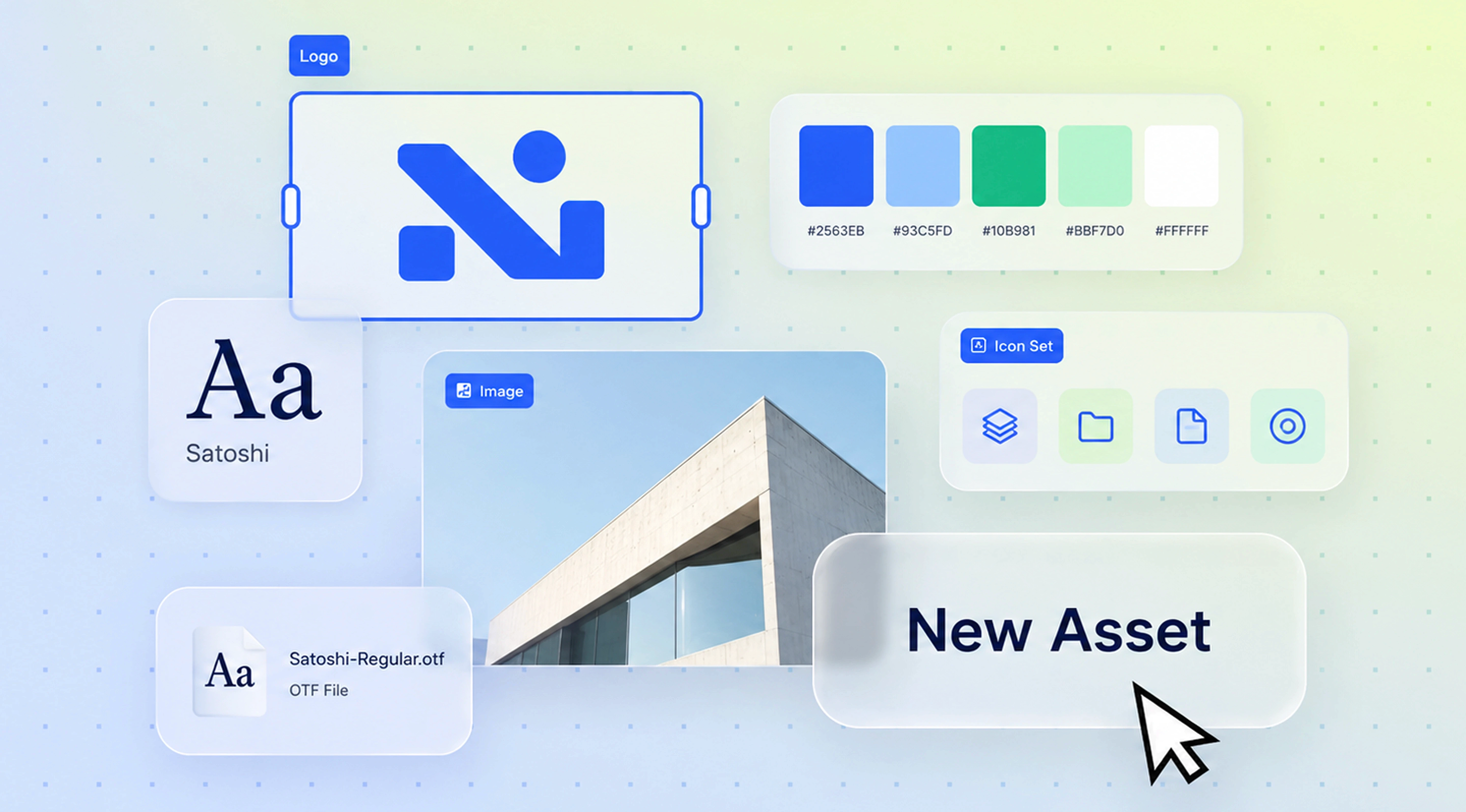
How to Deliver the Package
How to Deliver the Package
How to Deliver the Package
A complete brand asset handoff needs more than organised files. The delivery method should make assets easy to access, protect important source files, and give the client a clear system they can continue using after the project ends.
There are several practical delivery options.
A complete brand asset handoff needs more than organised files. The delivery method should make assets easy to access, protect important source files, and give the client a clear system they can continue using after the project ends.
There are several practical delivery options.
Shared Cloud Folder
Shared Cloud Folder
Shared Cloud Folder
A shared cloud folder works well for smaller and mid-sized identity systems. It gives the client ongoing access to the latest files and makes updates straightforward.
Set permissions carefully. The people responsible for managing assets may need edit access, while employees, freelancers, or vendors may only need download access.
A shared cloud folder works well for smaller and mid-sized identity systems. It gives the client ongoing access to the latest files and makes updates straightforward.
Set permissions carefully. The people responsible for managing assets may need edit access, while employees, freelancers, or vendors may only need download access.
Versioned ZIP Package
Versioned ZIP Package
Versioned ZIP Package
A versioned ZIP creates a fixed record of everything delivered at handoff.
Use a clear name such as:
brand-assets-v1-0.zip
If the identity is updated later, create a new version rather than silently replacing the original package. This provides simple version control and makes it easier to identify which files were current at a particular time.
A versioned ZIP creates a fixed record of everything delivered at handoff.
Use a clear name such as:
brand-assets-v1-0.zip
If the identity is updated later, create a new version rather than silently replacing the original package. This provides simple version control and makes it easier to identify which files were current at a particular time.
Brand Portal
Brand Portal
Brand Portal
A brand portal combines guidelines, downloads, templates, and approved assets in one location. It can work well for growing organisations with multiple internal and external users.
The portal should act as the current source of truth, with outdated assets removed or archived.
A brand portal combines guidelines, downloads, templates, and approved assets in one location. It can work well for growing organisations with multiple internal and external users.
The portal should act as the current source of truth, with outdated assets removed or archived.
DAM Tool
DAM Tool
DAM Tool
A DAM—digital asset management system—is useful when the volume of files, users, markets, or permissions becomes more complex.
It can provide search, metadata, access control, approval workflows, and stronger version management across a large asset library.
A DAM—digital asset management system—is useful when the volume of files, users, markets, or permissions becomes more complex.
It can provide search, metadata, access control, approval workflows, and stronger version management across a large asset library.
Walk Through the Handoff
Walk Through the Handoff
Walk Through the Handoff
Do not simply send a link and consider the project finished.
Schedule a handoff call to explain the folder structure, guidelines, logo formats, licences, templates, and source assets. Show the client where commonly used files live and answer practical questions about future use.
Also define a post-handoff support window. State how long support lasts and what it covers, such as file questions, missing exports, or clarification of existing guidelines. New design requests or additional deliverables should be treated separately.
Do not simply send a link and consider the project finished.
Schedule a handoff call to explain the folder structure, guidelines, logo formats, licences, templates, and source assets. Show the client where commonly used files live and answer practical questions about future use.
Also define a post-handoff support window. State how long support lasts and what it covers, such as file questions, missing exports, or clarification of existing guidelines. New design requests or additional deliverables should be treated separately.
A good delivery process leaves the client confident that they can manage the identity without depending on the original supplier for everyday use.
A good delivery process leaves the client confident that they can manage the identity without depending on the original supplier for everyday use.
Common Handoff Mistakes
Common Handoff Mistakes
Common Handoff Mistakes
Even strong identity work can become difficult to use when the final delivery is incomplete or poorly organised. A reliable brand asset delivery checklist should catch these common problems before the project closes.
Even strong identity work can become difficult to use when the final delivery is incomplete or poorly organised. A reliable brand asset delivery checklist should catch these common problems before the project closes.
Delivering Only PNG Files
Delivering Only PNG Files
Delivering Only PNG Files
PNGs are useful for everyday digital applications, but they cannot replace vector files.
Without SVG, EPS, PDF, or appropriate native artwork, the logo may not scale properly for signage, large-format print, packaging, or other production requirements.
Always provide the appropriate vector formats alongside raster exports.
PNGs are useful for everyday digital applications, but they cannot replace vector files.
Without SVG, EPS, PDF, or appropriate native artwork, the logo may not scale properly for signage, large-format print, packaging, or other production requirements.
Always provide the appropriate vector formats alongside raster exports.
Leaving Out Source Files
Leaving Out Source Files
Leaving Out Source Files
A client may receive finished exports but no editable source files. That creates problems when an authorised designer needs to update an asset, create a new variation, or prepare it for another application.
The contract should clearly define which source files are included in the handoff and what ownership rights apply.
A client may receive finished exports but no editable source files. That creates problems when an authorised designer needs to update an asset, create a new variation, or prepare it for another application.
The contract should clearly define which source files are included in the handoff and what ownership rights apply.
Providing Fonts Without Licence Documentation
Providing Fonts Without Licence Documentation
Providing Fonts Without Licence Documentation
Sending a font file does not automatically transfer the right to use it.
Every commercial font licence should explain who owns it, what usage it covers, and whether the client needs to purchase a separate licence. Missing this step can create unnecessary legal and operational risk.
Sending a font file does not automatically transfer the right to use it.
Every commercial font licence should explain who owns it, what usage it covers, and whether the client needs to purchase a separate licence. Missing this step can create unnecessary legal and operational risk.
Using Ambiguous File Names
Using Ambiguous File Names
Using Ambiguous File Names
Names such as logo-final-final-v3.svg make it difficult to know which file is actually approved.
Use a consistent naming convention that identifies the brand, asset, variant, colour, and version where necessary. Clear naming becomes increasingly important as the asset library grows.
Names such as logo-final-final-v3.svg make it difficult to know which file is actually approved.
Use a consistent naming convention that identifies the brand, asset, variant, colour, and version where necessary. Clear naming becomes increasingly important as the asset library grows.
Forgetting Mono and Reversed Logos
Forgetting Mono and Reversed Logos
Forgetting Mono and Reversed Logos
A full-colour logo will not work in every situation.
Single-colour printing, engraving, embroidery, dark backgrounds, and restricted production methods may require mono black, mono white, or reversed variants. Providing these versions prevents vendors from creating unofficial alternatives.
A full-colour logo will not work in every situation.
Single-colour printing, engraving, embroidery, dark backgrounds, and restricted production methods may require mono black, mono white, or reversed variants. Providing these versions prevents vendors from creating unofficial alternatives.
Providing No Read-Me
Providing No Read-Me
Providing No Read-Me
Even an organised folder can be confusing to someone who was not involved in the project.
A short read-me should explain the package structure, where key assets are located, which formats are intended for common applications, and where the current guidelines can be found.
The purpose of a design handoff checklist is to remove uncertainty. Before closing the project, ask whether a new employee, freelancer, printer, or agency could open the package and use the brand correctly without contacting the original designer.
If the answer is yes, the brand asset handoff has done its job.
Even an organised folder can be confusing to someone who was not involved in the project.
A short read-me should explain the package structure, where key assets are located, which formats are intended for common applications, and where the current guidelines can be found.
The purpose of a design handoff checklist is to remove uncertainty. Before closing the project, ask whether a new employee, freelancer, printer, or agency could open the package and use the brand correctly without contacting the original designer.
If the answer is yes, the brand asset handoff has done its job.
FAQ
FAQ
FAQ
What files should be included in a brand asset handoff?
What files should be included in a brand asset handoff?
What files should be included in a brand asset handoff?
Vector and raster logo files in every variant, complete colour specifications, font files with licence documentation, the brand guidelines document, templates, and an organised folder structure with a read-me.
Vector and raster logo files in every variant, complete colour specifications, font files with licence documentation, the brand guidelines document, templates, and an organised folder structure with a read-me.
Who is responsible for the brand asset handoff?
Who is responsible for the brand asset handoff?
Who is responsible for the brand asset handoff?
The designer or studio prepares and delivers it. The client is responsible for storing it in a findable location and distributing it to internal teams and vendors.
The designer or studio prepares and delivers it. The client is responsible for storing it in a findable location and distributing it to internal teams and vendors.
Do I get the source files when a project ends?
Do I get the source files when a project ends?
Do I get the source files when a project ends?
Only if your contract says so. Confirm source file delivery and full commercial rights in writing before the project starts — it is not universally standard.
Only if your contract says so. Confirm source file delivery and full commercial rights in writing before the project starts — it is not universally standard.
What logo file formats do I actually need?
What logo file formats do I actually need?
What logo file formats do I actually need?
SVG for web, EPS or PDF for print vendors, the native source file for future edits, and PNG at several resolutions for everyday use. Every one of those in each logo variant.
SVG for web, EPS or PDF for print vendors, the native source file for future edits, and PNG at several resolutions for everyday use. Every one of those in each logo variant.
Who owns the font licence, me or the agency?
Who owns the font licence, me or the agency?
Who owns the font licence, me or the agency?
Whoever purchased it, unless the contract transfers it. Ask explicitly, because using a font your supplier licensed under their own name can leave you non-compliant after the project ends.
Whoever purchased it, unless the contract transfers it. Ask explicitly, because using a font your supplier licensed under their own name can leave you non-compliant after the project ends.
Recomended blogs
Recomended blogs
Recomended blogs

Brand Identity Design
Brand Identity Design
Rebrand vs Brand Refresh:
Which Does Your Business Need?
Rebrand vs Brand Refresh:
Which Does Your Business Need?
June 24, 2026 | 10 min read
June 24, 2026 | 10 min read


Packaging Design
Brand Identity Design
7 Reasons why good design is crucial for brand
In-House Design Team vs Agency: Cost, Speed and Trade-offs
June 24, 2021 | 10 min read
June 24, 2026 | 10 min read

Packaging Design
Brand Identity Design
7 Reasons why good design is crucial for brand
How to Write a Brand Identity Design Brief
June 24, 2021 | 10 min read
June 24, 2026 | 10 min read
Brand Identity Design
In-House Design Team vs Agency: Cost, Speed and Trade-offs
June 24, 2026 | 10 min read
A strong identity should remain usable long after the original project is complete.
A strong identity should remain usable long after the original project is complete.
A strong identity should remain usable long after the original project is complete.
If you need a brand system built with practical documentation and a structured handoff from the start, explore our studio and approach.
If you need a brand system built with practical documentation and a structured handoff from the start, explore our studio and approach.
If you need a brand system built with practical documentation and a structured handoff from the start, explore our studio and approach.
Get valuable strategy, culture, and brand insights straight to your inbox.
By signing up to receive emails from Abstrct Design, you agree to our Privacy Policy. We treat your info responsibly. Unsubscribe anytime.
© All rights reserved Abstrct Design - 2026
Contact Us
To Ring
+91 98194 78752
Get valuable strategy, culture, and brand insights straight to your inbox.
By signing up to receive emails from Abstrct Design, you agree to our Privacy Policy. We treat your info responsibly. Unsubscribe anytime.
© All rights reserved Abstrct Design - 2026
Contact Us
To Ring
+91 98194 78752
Get valuable strategy, culture, and brand insights straight to your inbox.
By signing up to receive emails from Abstrct Design, you agree to our Privacy Policy. We treat your info responsibly. Unsubscribe anytime.
© All rights reserved Abstrct Design - 2026
Contact Us
To Ring
+91 98194 78752