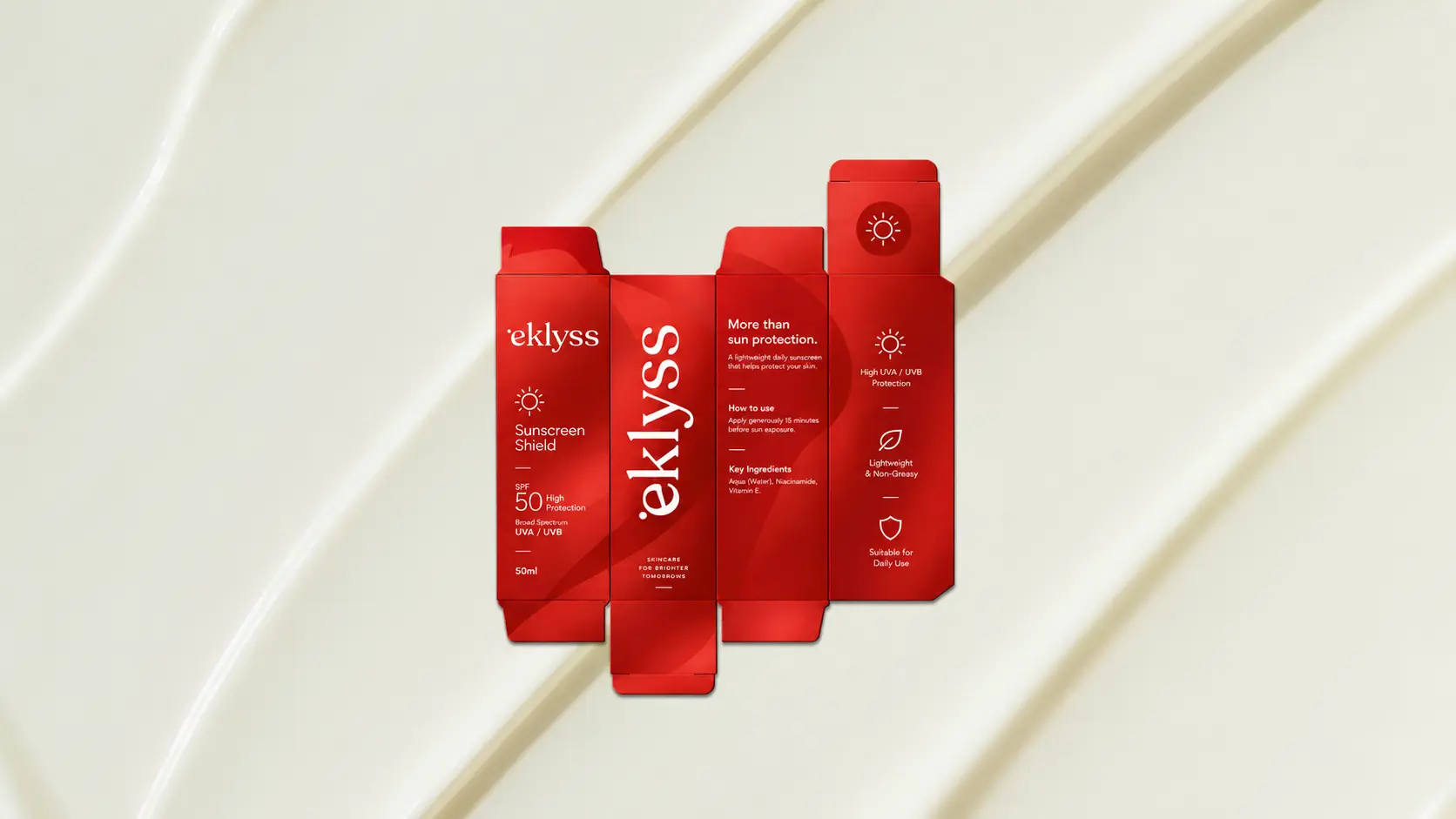

If you are developing a box, carton, sleeve, pouch, or other printed package, one of the first production questions is: what is a dieline?
A dieline is a 2D technical drawing that defines how a flat piece of packaging material will be cut, folded, scored, or perforated to create its final 3D form. It acts as the structural blueprint that both designers and manufacturers use when preparing packaging for production.
A typical packaging dieline template shows the individual panels of the package along with cut lines, fold or score lines, perforations, glue flaps, and other structural information. When the flat material is cut and folded according to these instructions, it forms the finished box or package.
The dieline should not be confused with the graphic design itself.
Structural packaging design determines the physical construction: where the package folds, how it closes, how large each panel is, and how the product fits inside. Graphic packaging design is the visual layer placed onto that structure, including the logo, typography, colors, imagery, product information, and regulatory content.
The two need to work together. Artwork that looks balanced on a flat screen may become awkward when a panel folds around a corner or disappears beneath a flap.
This is why packaging production files are usually built around an approved dieline rather than designing the graphics first and adapting the structure later.
Understanding what is a dieline therefore means understanding the connection between a flat technical drawing and the final physical package. It provides the framework that allows structural decisions, artwork, printing, cutting, and assembly to work together accurately.
A dieline may look like a collection of lines and measurements, but it determines much more than where a packaging design gets cut and folded.
In structural packaging design, the dieline directly affects whether the finished package actually works.
The dimensions, panels, tabs, folds, and closure points determine whether a box holds its shape, fits the product correctly, closes securely, and provides the required level of protection. Even a visually strong packaging concept can fail if the underlying structure has not been developed accurately.
This is why errors in a packaging dieline template can become expensive production problems.
A fold positioned incorrectly may prevent a carton from closing. A panel that is slightly too small may create fitting issues. Incorrect tabs or locking mechanisms can affect assembly. If these problems are discovered only after printing and cutting, part or all of the production run may need to be corrected or reproduced.
Dielines also influence material usage.
An efficient structural packaging design considers how the flat package fits onto the manufacturer's sheet or production format. Unnecessary material around panels, oversized structures, or inefficient layouts can increase paperboard consumption and production cost. Improving the structure can sometimes reduce waste without reducing the functionality or perceived quality of the package.
For this reason, packaging production files should not treat the dieline as a technical layer that is checked only at the end.
It needs to be considered from the beginning of the project, alongside product dimensions, material choice, printing method, assembly, shipping, and the intended customer experience.
When asking what is a dieline, the most useful answer is that it is the foundation of the physical package. Graphic design determines how the package communicates; the dieline helps determine whether that package can be produced and function as intended.
Once you understand what is a dieline, the next step is learning how to read the different lines and production areas within it. Each line has a specific purpose that tells the manufacturer how the flat material should become a finished package.
Cut lines show where the material will be cut to create the final shape. Fold or score lines indicate where the material needs to bend so individual panels form the 3D structure. Perforation marks identify areas designed to tear or separate, such as opening tabs or removable sections.
A packaging dieline template may also show glue flaps, locking tabs, openings, and other structural elements depending on the packaging format.
Bleed and safe zones are equally important in structural packaging design. Artwork that reaches a cut edge generally needs to extend beyond it according to the manufacturer's bleed requirements. However, packaging introduces additional considerations because artwork may cross multiple panels, folds, and edges.
Important text, logos, barcodes, and regulatory information should remain within appropriate safe areas and away from folds, cuts, glue zones, or other areas where readability could be affected.
Dielines also use different colors, line styles, and symbols to distinguish production instructions. For example, manufacturers may specify separate spot colors or line styles for cutting, scoring, perforating, or other operations.
There is no single notation system that should be assumed for every supplier. The manufacturer's specifications should always take priority.
When preparing packaging production files, these technical lines are usually kept separate from the printable artwork and clearly labelled.
A well-organized dieline allows the designer, printer, and packaging manufacturer to understand exactly how the flat artwork relates to the final structure, reducing ambiguity before production begins.
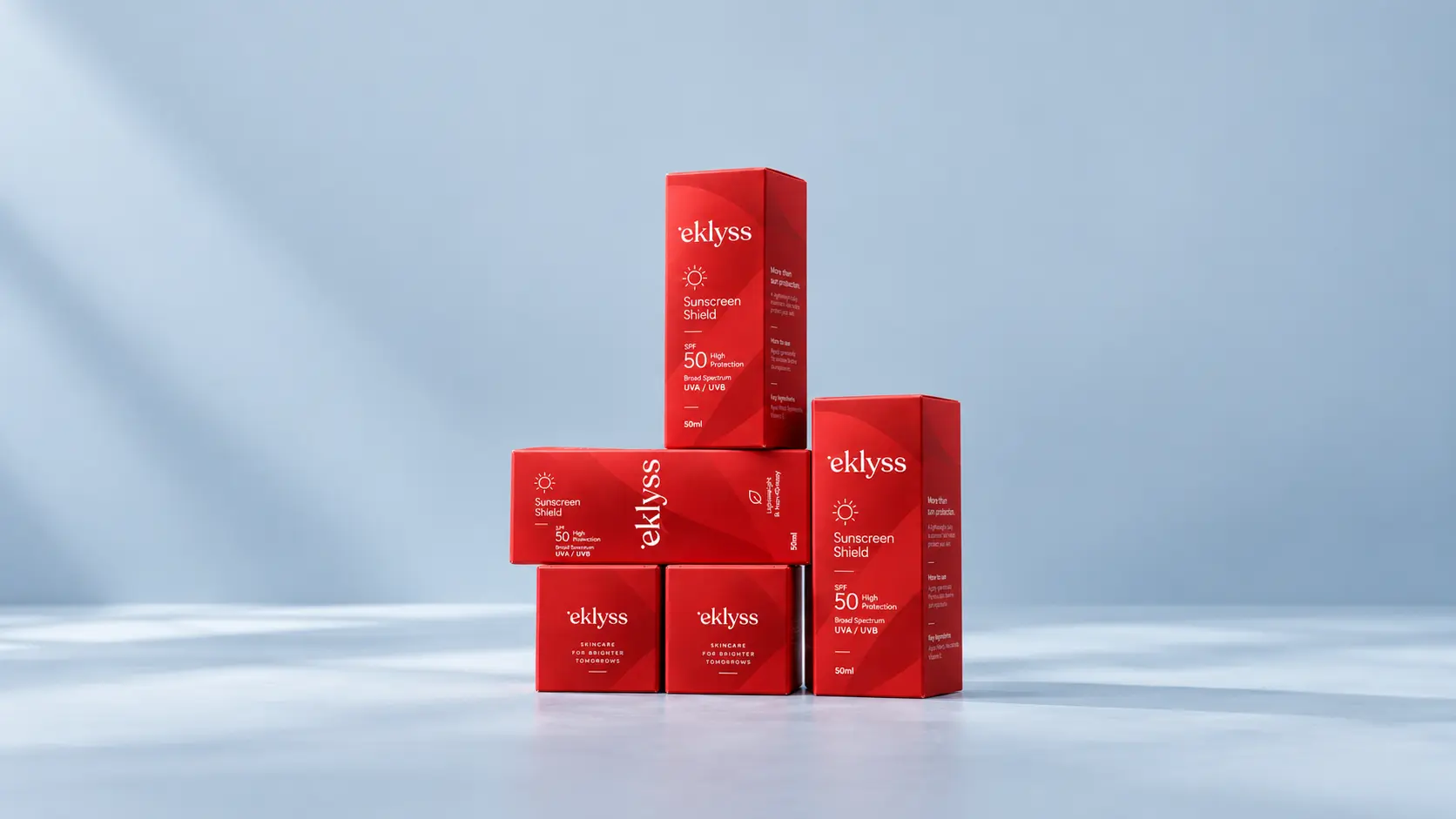
Not every packaging project requires a completely new structure. How a dieline is created depends on the product, packaging format, manufacturing requirements, and how distinctive the final structure needs to be.
A standard packaging dieline template can often be used for familiar formats such as folding cartons, sleeves, mailer boxes, or other established structures. The dimensions are adapted to the product and confirmed against the packaging manufacturer's production specifications.
For more distinctive shapes or specific functional requirements, custom structural packaging design may be necessary.
A custom dieline starts with practical information such as product dimensions, weight, orientation, protection requirements, material choice, closure method, assembly process, shipping conditions, and intended user experience. These factors influence the panels, folds, tabs, and overall construction.
Structural design software can then be used to develop precise packaging production files and visualize how the flat dieline forms the 3D package.
However, a digital model alone should not always be treated as final validation.
Prototyping is an important part of the process.
A physical sample allows the team to check whether the product fits correctly, folds align, tabs lock properly, closures function, and the package maintains sufficient strength. For more complex packaging, several prototype rounds may be needed before mass production.
Testing can also reveal issues that are difficult to identify on screen, including excessive tension at folds, awkward opening sequences, or material behavior that affects assembly.
So, what is a dieline creation process in practice? It is a progression from structural requirements to technical drawing, prototype, testing, and refinement. Final packaging production files should be based on a structure that has been validated for the actual material and manufacturing process rather than relying on an untested generic template.
Understanding what is a dieline is only the first step. The dieline also needs to match the artwork, material, and manufacturer's production requirements. Small structural errors can delay approval, require artwork changes, or create problems during production.
One common mistake is designing artwork without accounting for fold lines. A logo, headline, barcode, or important product information may look correctly positioned on the flat packaging dieline template but become divided, hidden, or misaligned once the package is folded.
The artwork should therefore be reviewed in both its flat and assembled forms.
Another mistake is ignoring material thickness and rigidity during structural packaging design. Paperboard, corrugated material, and other substrates behave differently when folded. If the structure does not allow for the selected material, panels may not align correctly, closures can become too tight, and the finished box may not close as intended.
A third mistake is using a generic packaging dieline template without confirming it against the actual manufacturer's specifications. Two suppliers producing a similar box may use different tolerances, machinery, sheet sizes, glue areas, or production requirements.
Before preparing final packaging production files, the dieline should be confirmed with the manufacturer that will actually produce the packaging.
Prototypes can catch many of these problems before mass production. Testing a physical sample allows teams to check folds, alignment, product fit, closures, and artwork placement under realistic conditions.
A reliable dieline is not simply one that looks technically correct on screen. It needs to work with the selected material, artwork, manufacturing process, and final assembled form.
What is a dieline in packaging design?
Is a dieline the same as packaging artwork?
No, a dieline is the structural blueprint, while artwork is the graphic design and branding applied on top of that structural template.
Do I need a custom dieline for my packaging?
Only if you want a unique box shape or structure; many brands use standard, pre-existing dielines and apply custom graphic design instead.
What happens if a dieline has errors?