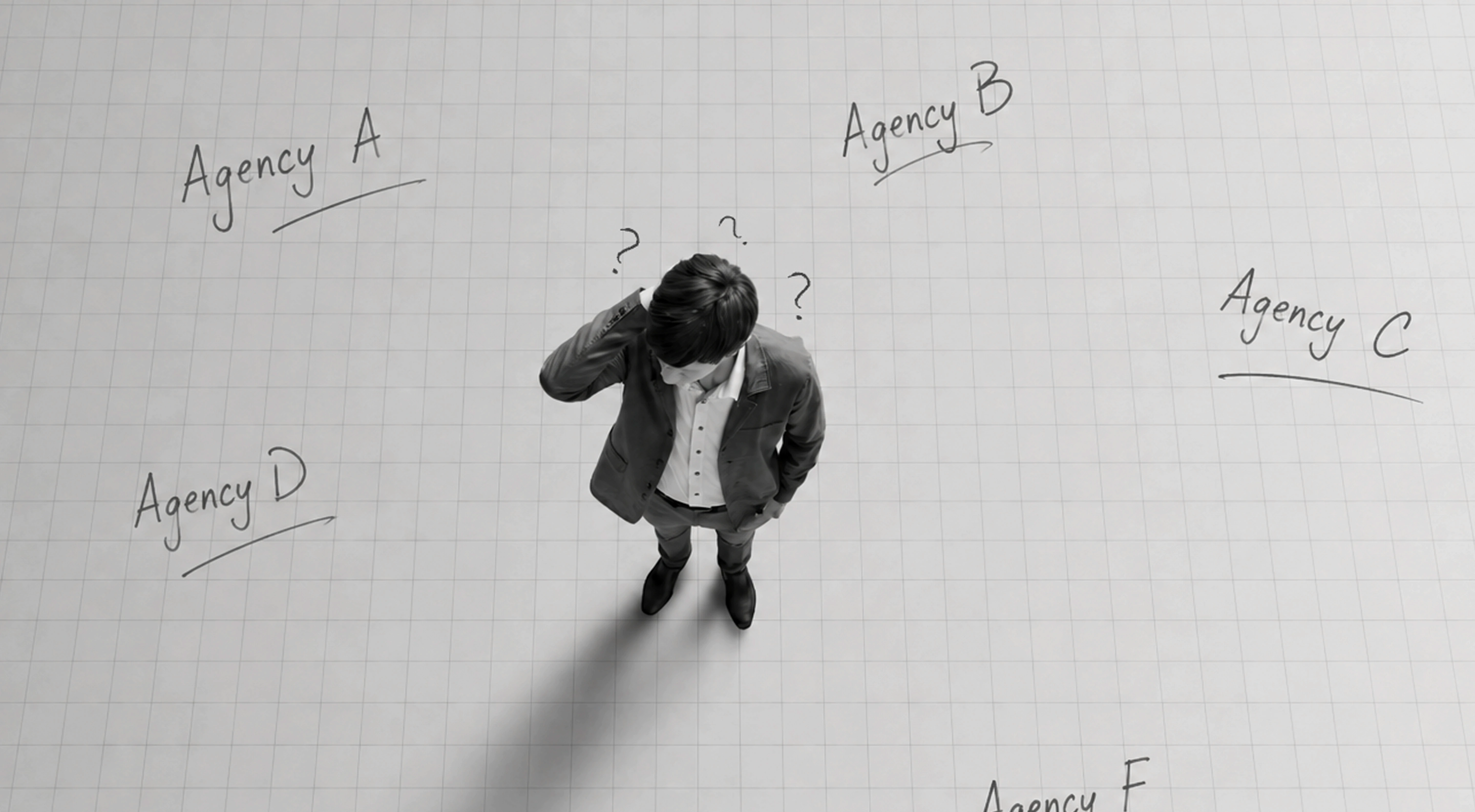
A successful ebook download does not necessarily mean someone actually read the ebook.
Downloads primarily tell you that the topic, offer, landing page, promotion, or lead magnet was compelling enough for someone to request the resource. What happens after the file opens is a different challenge.
Can readers understand the structure immediately? Is the body copy comfortable to read? Can they scan the document and find relevant sections? Do charts remain legible? Are important takeaways easy to notice? Is there a clear next step when they are ready to take action?
These questions are central to understanding how to design an ebook that converts.
A strong landing page can generate downloads, but the ebook itself needs to maintain the reader’s attention. If someone opens a 30-page PDF and encounters dense paragraphs, inconsistent layouts, tiny text, or pages overloaded with graphics, the perceived effort increases immediately.
That can create a gap between acquisition and engagement.
Many teams spend significant time optimizing the ebook title, landing page, form, ads, and promotional campaign because these elements directly affect measurable downloads. The reading experience often receives less attention.
But if the ebook is supposed to educate prospects and move them toward another action, post-download experience matters too.
The objective is not simply to make every page visually impressive. Good ebook design reduces friction. It helps readers understand where they are, what matters, and what to do next.
That starts with layout.
Ebook layout best practices should prioritize comfortable reading before decoration.
Before publishing, use the following ebook design checklist to evaluate whether the document remains clear across every page.
1. Create a Clear Visual Hierarchy
Readers should be able to distinguish the information hierarchy without having to think about it.
The title, chapter headings, subheadings, body copy, captions, statistics, quotes, and callouts should each have a defined visual role.
This can be created through differences in type size, weight, spacing, placement, and color. The exact styling will depend on the brand, but it should remain consistent throughout the ebook.
Avoid creating too many levels of emphasis.
If headings, quotes, statistics, captions, and callouts are all oversized or brightly styled, everything begins competing for attention.
A useful test is to quickly scan several pages without reading the body copy. You should still be able to understand the structure and identify the major points.
2. Give Content Enough White Space
White space is not wasted space.
Margins, paragraph spacing, gaps between sections, and breathing room around graphics make information easier to separate and process.
Trying to maximize the amount of content on every page can make an ebook feel more demanding than it actually is.
This is particularly important for pages containing several different elements. A headline, paragraph, chart, statistic, and CTA may all fit technically, but they still need enough separation to establish a clear reading order.
When a page feels overcrowded, first ask whether something can be shortened, moved, or removed rather than simply making everything smaller.
3. Keep Line Length Comfortable
Very wide paragraphs can make it harder for the eye to move from the end of one line to the beginning of the next. Extremely narrow columns can create the opposite problem by breaking sentences too frequently.
The right line length depends on typeface, font size, format, and screen size, so there is no single measurement that works for every ebook.
The practical principle is simple: body text should feel comfortable during sustained reading.
This is especially important when designing landscape PDFs or large-format pages. Just because the canvas is wide does not mean the body copy should stretch across its full width.
4. Use a Consistent Grid and Margins
A consistent grid creates structure across the entire document.
Headings should not jump unpredictably between positions. Body copy should follow recognizable alignment. Charts and illustrations should relate to the same underlying layout rather than appearing independently placed on each page.
Consistency becomes especially important when graphics are inserted after the initial layout has been created.
Charts, diagrams, screenshots, tables, and callout boxes should still respect the established margins and alignment rules.
The grid does not have to make every page identical. It creates a framework within which different page compositions can exist.
5. Check Mobile and Tablet Legibility
Ebooks are frequently consumed on screens rather than printed.
A layout that looks excellent on a large desktop monitor can become frustrating when opened on a tablet or phone.
Before launch, view the actual exported file at realistic sizes.
Check whether body text can be read comfortably, chart labels remain visible, diagrams retain enough detail, and CTAs can be understood without excessive zooming.
Complex multi-column layouts deserve particular attention because they can become difficult to navigate on smaller screens.
Responsive behavior is limited in a fixed-layout PDF, so the original design needs to account for likely viewing conditions.
Good ebook design does not stop at individual pages. The document itself needs a clear reading rhythm.
Keep Sections Focused
Long, uninterrupted chapters increase perceived effort.
Instead, organize the ebook into focused sections built around specific questions, ideas, or actions. Use descriptive headings that help readers understand what they will gain from each section.
This makes the document easier to scan and gives readers natural stopping and restarting points.
It also helps people who are not planning to read the ebook sequentially. Someone may download a guide primarily for one chapter and move directly to that section.
The structure should make that behavior easy.
Reinforce Important Takeaways
Not every reader will remember every paragraph.
Key-takeaway boxes, short summaries, highlighted statistics, diagrams, checklists, or pull quotes can reinforce the information that matters most.
These elements should be selective.
If every sentence becomes a callout, the hierarchy disappears. Use emphasis for ideas readers should understand even if they only scan the document.
This approach supports one of the most important ebook layout best practices: design for both reading and skimming.
Build a Logical Progression
An ebook should feel like one connected journey rather than several blog posts placed into a PDF.
Each chapter should naturally prepare the reader for the next.
A guide might begin by defining the problem, move into the principles behind solving it, provide practical methods or examples, and finish with a clear next step.
This progression also affects conversion.
When the final CTA appears, it should feel like a logical continuation of what the reader has just learned rather than an unrelated sales message added to the last page.
That is why learning how to design an ebook that converts involves more than CTA styling. The entire content and layout structure should gradually move the reader from initial interest toward understanding, confidence, and an appropriate next action.
The next step is deciding where those actions should appear—and how ebook CTA placement can encourage action without making an educational resource feel like a sales brochure.

Good ebook CTA placement is not about inserting as many buttons and links as possible. It is about giving readers a relevant next step at the moments when they are most likely to need one.
An ebook created for marketing should have a clear conversion goal before the layout begins. That goal could be booking a consultation, requesting a demo, exploring a service, starting a trial, subscribing to a newsletter, or moving to another useful resource.
Once the primary action is clear, use this checklist to determine how CTAs should appear throughout the ebook.
1. Define One Primary CTA
Before deciding where CTAs should appear, decide which action matters most.
Too many competing actions can weaken the reader journey. If one page asks readers to book a call, another promotes a webinar, another pushes a newsletter, and the final page promotes several services, the reader may not know what the intended next step is.
Choose one primary CTA that connects naturally with the ebook topic and the reader’s likely stage in the funnel.
Secondary actions can still appear, but they should support rather than compete with the primary conversion goal.
2. Repeat the Primary CTA at Natural Break Points
Do not assume every reader will reach the final page.
Some will scan particular chapters. Others may stop after finding the information they needed. This makes it useful to restate the primary CTA at appropriate points throughout the document.
That does not mean placing the same promotional block on every page.
Natural CTA opportunities can appear after a major chapter, following a practical framework, after explaining a common problem, or at another point where the reader may logically want additional help.
The CTA should feel connected to what they have just read.
For example, an ebook explaining a complex process could introduce professional support after the reader understands the difficulty involved. That transition feels more relevant than interrupting an unrelated section with a generic sales message.
3. Use Secondary CTAs Contextually
Not every reader is ready for the primary conversion action.
Someone reading an educational ebook may still be researching. Asking them to book a sales call immediately may create more friction than directing them toward another relevant resource.
This is where softer secondary CTAs can help.
A contextual CTA might encourage readers to explore a related blog article, download a companion checklist, view a case study, subscribe for further insights, or learn more about a specific topic.
Place these links where they genuinely extend the content.
The objective is to keep interested readers moving through the brand’s content ecosystem even when they are not ready for a high-intent action.
4. Make CTAs Visually Recognizable
CTAs should look intentional.
Use a consistent visual treatment for CTA blocks, buttons, links, or callout sections so readers begin to recognize them throughout the ebook.
This treatment should follow the broader brand system while creating enough contrast from normal body content.
Consistency matters more than making each CTA visually different.
If one CTA appears as a colored box, another looks like a pull quote, and another resembles body text, readers may not immediately understand which elements are actionable.
A recognizable CTA system improves both hierarchy and usability.
5. Finish With a Low-Friction Next Step
The final CTA deserves particular attention because it appears after the reader has consumed the full argument.
Instead of ending abruptly with a logo and contact details, connect the conclusion to a specific next step.
The appropriate action depends on the ebook and funnel stage. A high-intent reader might be ready to request a consultation or demo. A broader educational audience may respond better to a relevant service page, assessment, case study, or additional resource.
Whatever the action, keep it focused.
A final page containing six different buttons, every social channel, several phone numbers, multiple service links, and a newsletter form creates unnecessary choice.
One clear primary action supported by concise context is usually easier to understand.
These ebook CTA placement principles are an important part of learning how to design an ebook that converts. The CTA should not feel added after the document has been designed. It should be considered as part of the reader journey from the beginning.
An ebook may be a standalone content asset, but it should still feel unmistakably connected to the company that created it.
If someone moves from your website to the ebook and then to a service page, the visual experience should feel connected.
Use this section of the ebook design checklist to maintain that continuity.
1. Apply Brand Colors Consistently
Use the established brand palette rather than creating an entirely new color system for every ebook.
Primary and secondary colors can help distinguish chapters, callouts, statistics, diagrams, and CTAs. However, using every available brand color on every page can create unnecessary visual noise.
Assign colors specific functions where possible.
For example, one accent might consistently highlight key information while another is reserved for actionable elements.
This makes color functional as well as recognizable.
2. Maintain a Defined Typography System
Typography has a major impact on how professional and readable an ebook feels.
Use defined styles for titles, chapter headings, subheadings, body copy, captions, statistics, quotes, and CTA text.
Avoid introducing new fonts simply to make individual pages feel different.
Variation can come from scale, weight, spacing, composition, imagery, and layout rather than continuously changing typography.
The typography should also follow existing brand guidelines wherever those guidelines are appropriate for long-form reading.
A display typeface that works well for a website headline, for example, may not necessarily be comfortable for several paragraphs of ebook body copy. The design system should adapt the brand while protecting readability.
3. Keep Imagery and Illustration Consistent
Visual consistency extends beyond colors and fonts.
Photography, illustration, iconography, diagrams, screenshots, and graphic treatments should feel like parts of the same visual language.
Where the project allows, custom icons, illustrations, diagrams, or branded graphics can make the ebook more distinctive than relying entirely on generic stock imagery.
Custom visuals can also communicate ideas that photography cannot.
A complicated process may be clearer as a diagram. A framework might work better as a custom graphic. A product explanation may require annotated screenshots rather than decorative imagery.
The goal is not to eliminate stock imagery completely. Relevant, well-selected photography can work effectively. The problem is using generic visuals simply because a page feels empty.
Every visual should either communicate information, establish context, reinforce the brand, or improve the reading experience.
4. Keep Charts and Graphics Within the Same System
Charts often become visually disconnected from the rest of an ebook because they are exported directly from spreadsheet or analytics software.
Before publication, bring them into the document’s design system.
Standardize typography, labels, line styles, colors, legends, spacing, and other visual elements where appropriate.
The same applies to diagrams and infographics.
Consistency helps readers interpret information faster because they do not need to learn a new visual language every few pages.
Accuracy should always come before decoration. Design should clarify the data rather than exaggerate or obscure it.
5. Check Font and Image Licensing
A polished ebook is still a distributed publication.
Before launch, confirm that the fonts, photographs, illustrations, icons, and other third-party assets are licensed appropriately for the intended use and distribution.
Do not assume that an asset available online is automatically available for commercial use.
Licensing conditions can vary by font foundry, stock platform, creator, asset type, and usage scenario. If an ebook will be distributed publicly or used commercially, check the applicable license terms for each external asset.
This step is easy to overlook when teams are focused primarily on layout.
Strong ebook design is not only about visual quality. It also needs to be practical, consistent, readable, and ready for real-world distribution.
Once the layout, CTAs, and brand system are established, the final stage is quality assurance: checking links, navigation, file performance, and the actual reading experience across devices before the ebook goes live.
An ebook can look finished in the design file and still contain problems that only appear after export.
Broken links, incorrect page references, oversized files, unreadable charts, missing fonts, or poor mobile legibility can create unnecessary friction after someone has already chosen to download the resource.
Before publishing, run the final document through a structured quality check.
1. Proofread the Final Designed File
Proofreading should happen after the content has been placed into the final layout, not only before design begins.
Layout changes can introduce new issues. Sentences may be accidentally removed, headings can become separated from their content, captions may move to the wrong graphic, or last-minute edits can introduce errors.
Review the final exported version page by page.
Check headlines, body copy, statistics, captions, page numbers, contact details, URLs, CTA copy, and any references or footnotes.
The goal is to review what readers will actually receive.
2. Test Every Link and CTA
Every clickable element should be tested after export.
This includes primary CTAs, secondary links, website URLs, email links, references, table-of-contents navigation, social links, and any internal page links.
Do not assume that a link working inside the design software means it will work correctly in the exported file.
CTA destinations should also match the promise made in the copy. A “View the Case Study” CTA should lead directly to the relevant case study rather than a generic homepage.
This small detail can significantly improve the continuity of the reading experience.
3. Check the Table of Contents and Navigation
For longer ebooks, navigation becomes part of usability.
Verify that chapter names and page numbers in the table of contents match the final document. If the PDF uses clickable navigation, test every destination.
Readers should be able to jump to the section they need and understand where they are within the document.
Page numbering, section labels, headers, and footers should also remain consistent.
4. Optimize File Size Without Sacrificing Quality
Image-heavy ebooks can become unnecessarily large.
Large files may take longer to open, download, attach to emails, or access on slower connections. At the same time, aggressive compression can make photographs, charts, screenshots, and typography appear blurry.
The right balance depends on how the ebook will be distributed.
Optimize images for their actual display size, remove unnecessarily large assets, and review the exported PDF rather than relying only on the file-size number.
If multiple export settings are available, test the final result for both visual quality and practical performance.
5. Test the Ebook Across Devices
One of the final ebook layout best practices is also one of the simplest: open the actual file on more than one device.
Check it on desktop, tablet, and mobile where possible.
Look specifically at body-copy size, charts, captions, multi-column sections, CTA visibility, navigation, and detailed graphics.
A fixed-layout PDF will not behave like a responsive website, so some compromise may be necessary. The important question is whether the document remains reasonably usable on the devices your audience is likely to use.
Also test the ebook in more than one common PDF viewer when practical. Interactive elements and links should not depend unnecessarily on one specific viewing environment.
A complete pre-launch ebook design checklist should therefore cover content, layout, links, navigation, performance, and device testing—not simply whether the pages look polished.
Once you understand how to design an ebook that converts, the same checklist can become the foundation of a design brief.
Instead of approaching a designer or agency with only the manuscript and saying, “Make this into an ebook,” define what the document needs to accomplish.
Start with the audience.
Who will download the ebook? What do they already know about the subject? Are they encountering your company for the first time, or are they already evaluating your services or product?
Then define the objective.
Is the ebook primarily intended to educate, generate leads, build authority, support sales conversations, nurture existing prospects, or move readers toward a specific service?
That objective should influence both the layout and ebook CTA placement.
Next, provide the content structure. Include the final or near-final manuscript, chapter hierarchy, statistics, charts, references, images, screenshots, and any information that requires special visual treatment.
The designer should also receive the relevant brand assets.
These might include logo files, brand guidelines, fonts, color specifications, illustration systems, icon libraries, photography direction, and examples of existing marketing materials.
Finally, define the intended CTA.
A designer should know whether the primary next step is booking a consultation, requesting a demo, visiting a service page, downloading another resource, or something else. This allows CTA placement to be considered during layout development instead of being added after every page has already been designed.
A useful project brief should therefore answer:
Who is the ebook for?
What should readers understand after reading it?
What is the primary CTA?
Are there any secondary CTAs?
Where and how will the ebook be distributed?
What brand guidelines and assets are available?
Which charts, illustrations, diagrams, or custom graphics are required?
What devices are readers most likely to use?
What is the expected page range and delivery timeline?
Who will provide consolidated feedback and final approval?
Answering these questions gives the design team a much stronger starting point.
It also makes project scoping more accurate.
A 20-page ebook using an established template is a different design project from a 20-page ebook requiring a new visual direction, custom illustrations, multiple infographics, detailed data visualization, and extensive revisions.
Page count alone does not determine the workload.
If you are preparing to commission an ebook, our ebook design pricing guide can help you understand the factors that influence project scope and cost before requesting a quote.
The central principle behind this entire ebook design checklist is simple: downloading is only the beginning.
The landing page earns the initial click. The content earns attention. The layout makes that content easier to consume. The brand system creates consistency. And well-planned ebook CTA placement gives interested readers a clear path forward.
You cannot guarantee that every person who downloads an ebook will read it or convert. But you can remove many of the design problems that make reading and taking action unnecessarily difficult.
If your content is ready but needs to become a polished, readable, on-brand publication, Abstrct’s ebook design services can turn the manuscript into a structured visual experience built around readability, navigation, and clear next steps.